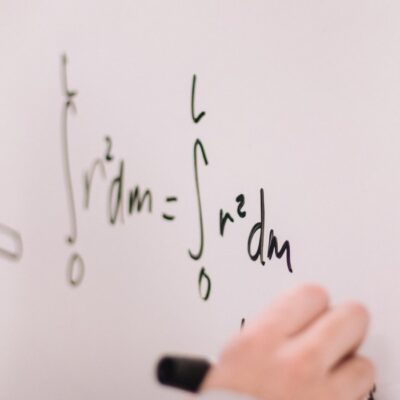
Example: MathML/Latex Formula;
MathMLFormula: "How to use for Web?"
MathMLFormula: "How to use for Air?"
MathMLFormula: "How to use for Mobile?"
MathMLFormula: Bugs or new features?
Example: MathML Editor Component;
MathMLEditor: "How to use for Web?"
MathMLEditor: "How to use for Air?"
The workflow when you click on "Generate Image" button or call viewImageInBrowser() |
1. The Editor will built the image; 2. It sends all bytes to the server using Base64 encoding; 3. The server will decode and redirect the bytes to the browser; 4. The browser will display the image in a new window; |
| The workflow when you call the method saveImageOnServer() from Javascript |
1. The editor will built the image and it will generate an unique name;
2. It sends all bytes to the server using Base64 encoding;
3. The server will decode and it saves the image in a file on server;
4. The server return the path of image (Could be absolute path or relative)
5. The editor receive the path. If is relative it creates the absolute path.
6. The editor will call the javascript method "setFileNameFromServer(path)"
with the complete path of file;
|
| Configuration for Editor |
1. urlGenerateImage=http://yoursite/folder/generateImage.jsp?param1=value // this is the url used to generate the image. // default is http://localhost/capture/imageCapture.jsp defaultImageType=JPG // The image format (JPG or PNG). Default is JPG; defaultImageCompression=80 // The image compression for JPG (0 - 100). Default is 80; 2. Have on server side the code to decode, return or save the image; |
| Example JSP solution for server side (imageCapture.jsp) |
Download the editorJspServerSide package from /editor/download.jsp imageCapture.jsp <%@ page import="java.io.*"%><%@ page contentType="image/jpeg"%><% String image = request.getParameter("image"); // size protection if(image.length()>100000) return; byte[] bytes = org.apache.commons.codec.binary.Base64.decodeBase64(image); if(bytes==null) return; String save = request.getParameter("save"); String name = request.getParameter("name"); String type = request.getParameter("type"); if(save!=null && name!=null && ("JPG".equalsIgnoreCase(type) || "PNG".equalsIgnoreCase(type) )){ String webappRoot = getServletContext().getRealPath("/"); File folder = new File(webappRoot + "/capture/img/"); File fileName = new File(folder, name + "." + type); FileOutputStream fos = new FileOutputStream(fileName); fos.write(bytes); fos.close(); /* the path can be: http://your_server/.../img/.. or /capture/img/... or relative img/... */ %>img/<%=name%>.<%=type%><% }else{ response.setContentType("image/jpeg"); OutputStream os = response.getOutputStream(); for(int i=0; i<bytes.length; i++){ os.write(bytes[i]); } os.flush(); os.close(); } %> Add commons-codec-1.4.jar in webapp folder WEB-INF/lib |
| Example PHP solution for server side (imageCapture.php) |
Download the editorPhpServerSide package from /editor/download.jsp imageCapture.php <?php if($_POST["save"]){ $type = $_POST["type"]; if($_POST["name"] and ($type=="JPG" or $type=="PNG")){ $img = base64_decode($_POST["image"]); $myFile = "img/".$_POST["name"].".".$type ; $fh = fopen($myFile, 'w'); fwrite($fh, $img); fclose($fh); echo "http://your_server/capture/img/".$_POST["name"].".".$type; } }else{ header('Content-Type: image/jpeg'); echo base64_decode($_POST["image"]); } ?> |
Download the editorAspNetServerSide package from /editor/download.jsp; Copy ImageCapture.aspx file and the folder bin to your application in capture folder; ImageCapture.aspx using System; using System.IO; namespace FormulaEditor { public partial class _Default : System.Web.UI.Page { protected void Page_Load(object sender, EventArgs e) { var image = Request.Params["image"]; if (string.IsNullOrEmpty(image)) return; var imageContent = Convert.FromBase64String(image); if (imageContent == null) return; var save = Request.Params["save"]; var name = Request.Params["name"]; var type = Request.Params["type"]; if (!string.IsNullOrEmpty(save) && !string.IsNullOrEmpty(name) && (string.Compare(type, "JPG", true) == 0 || string.Compare(type, "PNG", true) == 0)) { var webappRoot = Server.MapPath("img/"); var fileName = webappRoot + name + "." + type; using (var outputStream = new BinaryWriter(File.Open(fileName, FileMode.Create))) { outputStream.Write(imageContent); outputStream.Flush(); } Response.ClearContent(); Response.Write("echo "http://your_server/capture/img/" + name + "." + type); Response.End(); } else { Response.ContentType = "image/jpeg"; using (var os = Response.OutputStream) { for (int i = 0; i < imageContent.Length; i++) os.WriteByte(imageContent[i]); os.Flush(); os.Close(); } } } } } |
| free components MathML flex GWT LaTeX Editor Air plugin MathML flash math Mathematics Equation Widget Mobile flash LaTeX Mathematics FREE Apple iOS OMML Android iPad iPhone Microsoft Word Latex MathML OMML Free |